Filter by area, staff member, or free text
See who did what, when, and why.
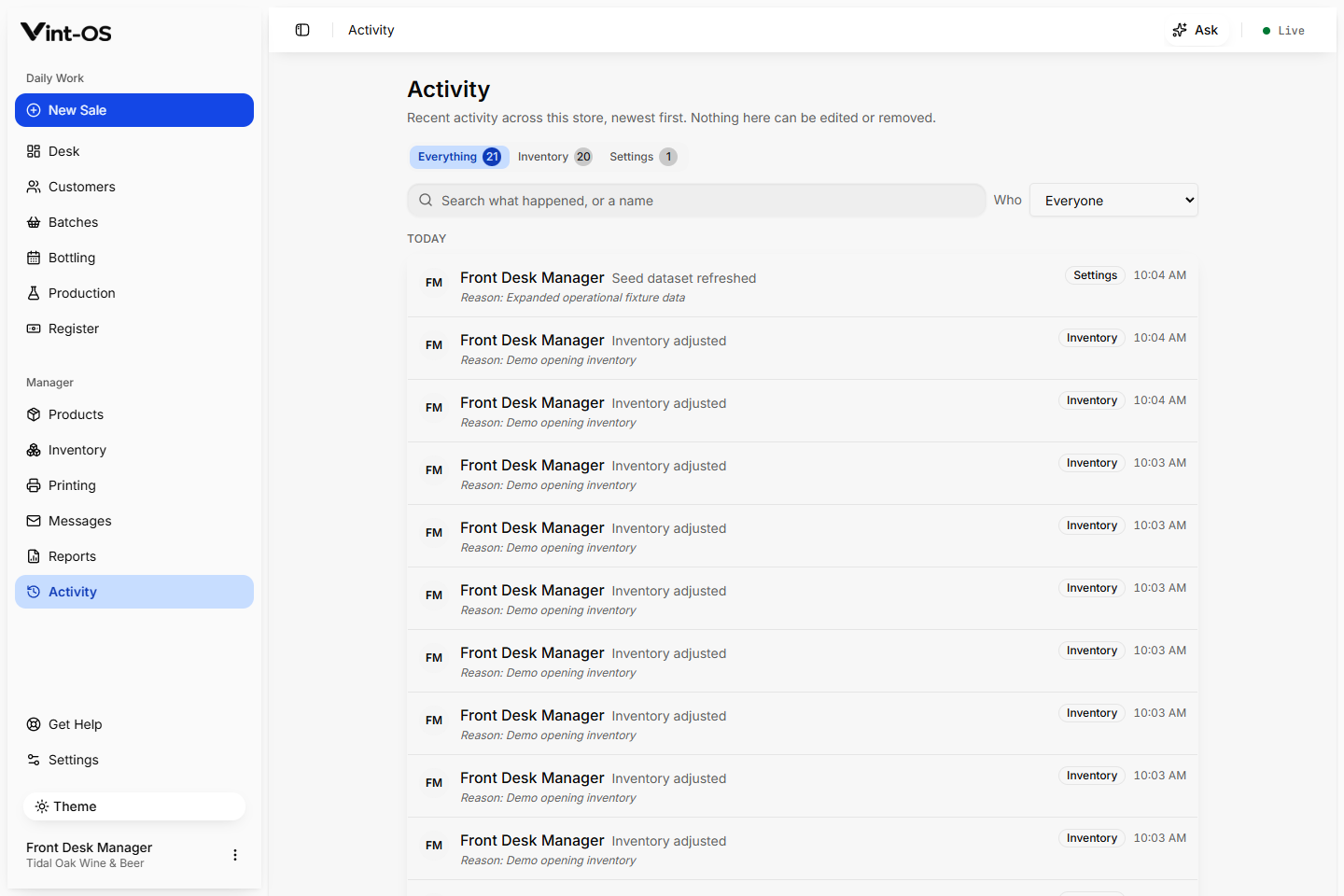
Activity puts the person first. Every recorded sale, refund, stock change, production completion, booking, print, and correction shows the staff member behind it, the area it happened in, and the reason they gave.
Activity trail
Real product screen
- Records
- Person first
- Entries
- Immutable
- Access
- Every role
- Available on
- Browser, Installable app, Windows
- Roles with access by default
- Manager, Front desk, Production
Nobody has to ask the room who marked the BOP done or who took the discount.
Products and inventory, stock movements, message templates and delivery states, reports, CSV exports, and an Activity trail that names the person behind every recorded action.
Open the record behind any entry
Day-grouped history with staff initials
Recorded actions cannot be edited or removed
Connected to the rest of the shop.
Each action keeps its source record attached, so the next person can continue the work without rebuilding the context.
A clear path from first action to confirmed result.
Open Activity
The whole shop's recorded work, newest first, grouped by day.
Narrow it down
Filter to one area or one staff member, or search the text.
Open the source
Jump straight to the sale, BOP, customer, or print behind the entry.
What is included, and what is not.
Activity shows the actions people took, not keystrokes. Routine autosaves are filtered out so the list reads as decisions people made. Entries cannot be edited or deleted from the app.
More ways to control and understand the shop.
Inventory
Manage product stock policy, thresholds, adjustments, movement history, and manager controlled correction reasons in the same catalog used at checkout.
Explore featureProduct Catalog
Manage product identity, category, price, Canadian tax behavior, SKU, stock policy, production recipe, and production defaults.
Explore featureLabels & Printing
Route receipts, BOP labels, and sheets by station, preserve the printable snapshot, and give staff a clear retry or reprint path when hardware fails.
Explore featureSee Activity in a working shop.
We can walk your team through a private store with realistic customers, BOPs, and production data already in it.
$29 CAD a month, one store, everything included.