Customer and product lookup built into checkout
Make the sale once. Keep every next step connected.
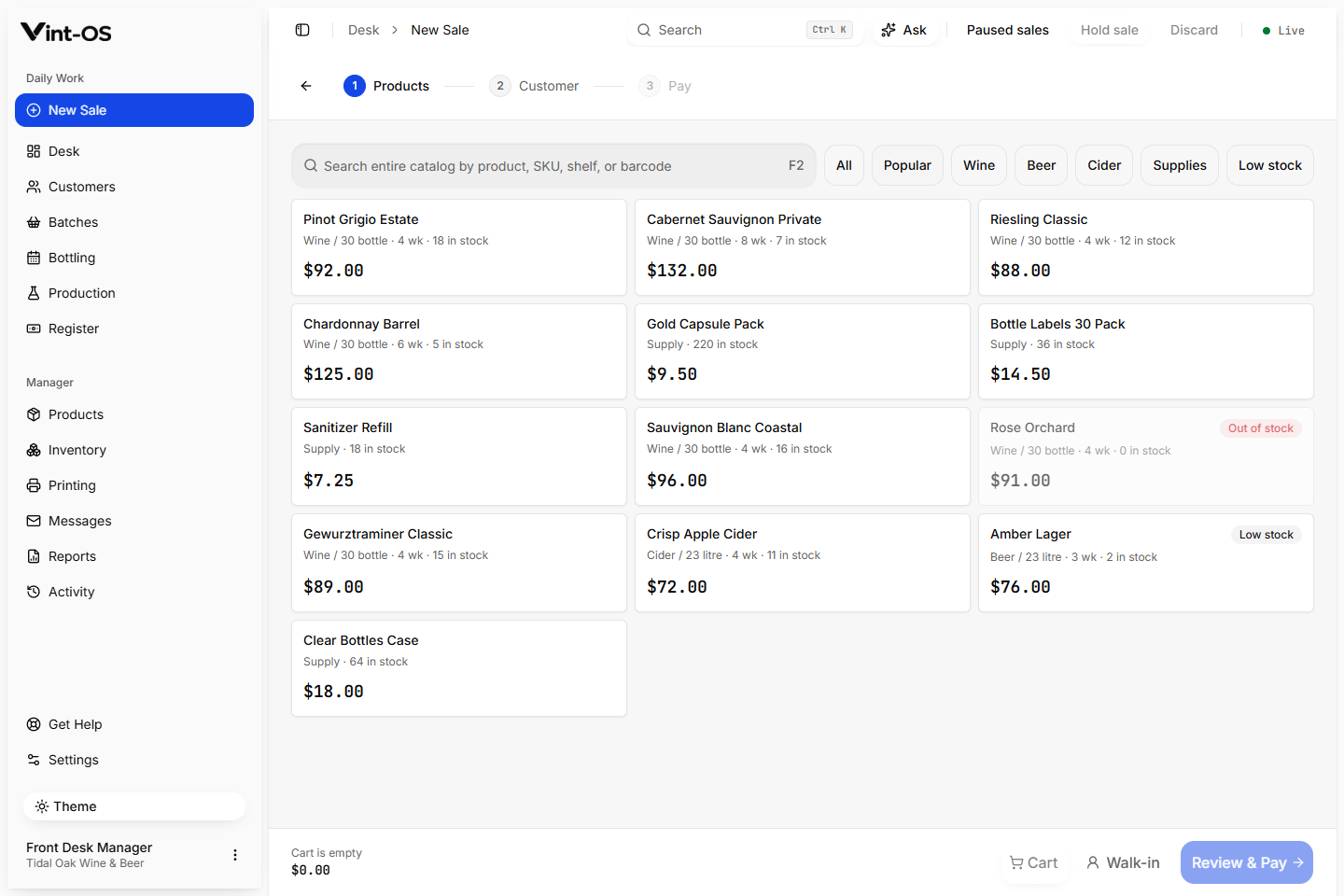
Build a kit sale, attach the customer, calculate the correct store price and tax, take payment, print the receipt, and create the production work that follows.
New Sale
Real product screen
- Pricing
- From the catalog
- Drafts
- Recoverable
- Payments
- On the record
- Available on
- Browser, Installable app, Windows
- Roles with access by default
- Manager, Front desk
Checkout becomes the beginning of the production record, not the end of a disconnected transaction.
Customer lookup, stock-aware lines, deposits, pay-at-pickup plans, split payments, discounts with a reason, paused sales, receipts and labels, and the daily till. Completing a kit sale creates the BOP.
Store prices and Canadian sales tax applied for you
Pause a sale and pick it up later
A BOP created from every kit sale
Connected to the rest of the shop.
Each action keeps its source record attached, so the next person can continue the work without rebuilding the context.
A clear path from first action to confirmed result.
Choose the customer
Find an existing record or create one without leaving the sale.
Add products and payment
Review price, tax, balance, and print choices.
Complete the sale
Save the sale and carry on with the BOP it creates.
What is included, and what is not.
Vint-OS records cash, card, e-transfer, and other payments. It does not claim to replace a card terminal or process a customer's card itself.
If the connection drops mid-sale, the sale waits on the device until the store confirms it. Vint-OS records card payments your terminal takes; it does not process cards itself.
More ways to sell and collect.
Till
Track the starting cash, payments, refunds, corrections, expected cash, counted cash, and any difference, with a manager closing the day.
Explore featureDaily Desk
The Vint-OS Desk brings today's work, overdue steps, bookings, balances, tasks, and print failures into one practical starting point.
Explore featureProduction Control
Plan step dates, group the work that is ready, record completion, update location, and keep overdue BOPs visible until the team resolves them.
Explore featureSee Counter Sales & POS in a working shop.
We can walk your team through a private store with realistic customers, BOPs, and production data already in it.
$29 CAD a month, one store, everything included.