Account and store creation
Set up the shop in a guided path, then keep refining it.
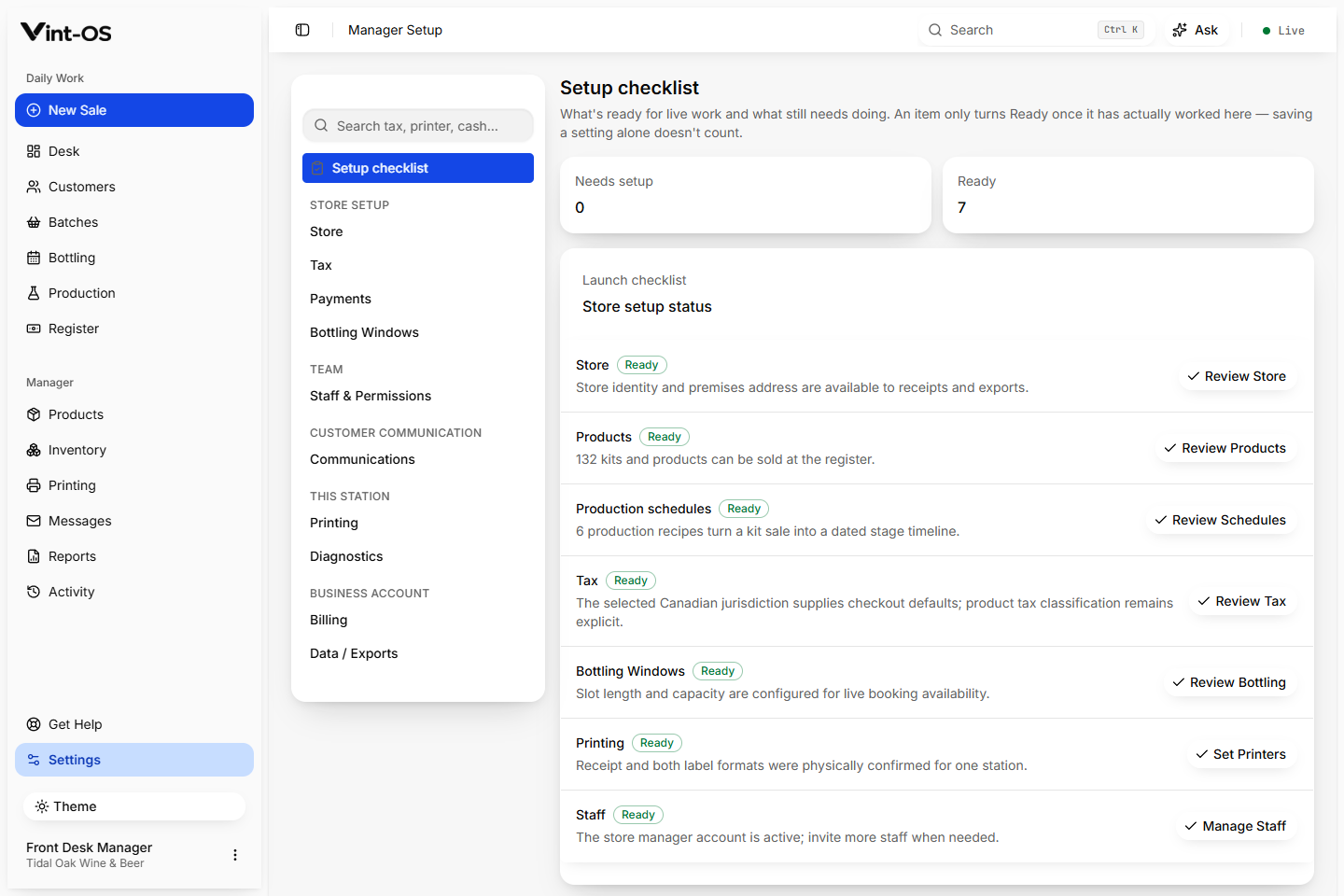
Create the store, choose Canadian tax settings, install starter production recipes, set counter and booking preferences, add message templates, and invite the team.
Guided store setup
Real product screen
- Steps
- Five guided
- Defaults
- Editable
- Team
- Invitable
- Available on
- Browser, Installable app, Windows
- Roles with access by default
- Manager
A new manager reaches a useful first day without configuring every advanced option up front.
Three staff roles adjustable per person, guided store setup, and Stripe subscription control.
Tax, recipe, till, and booking defaults
Starter customer communication templates
Staff invitations and guided tour
Connected to the rest of the shop.
Each action keeps its source record attached, so the next person can continue the work without rebuilding the context.
A clear path from first action to confirmed result.
Create the account
Create the manager account with email and password.
Set up the store
Choose the operational defaults your shop needs.
Start the guided tour
Enter the Desk with a clear first run path.
What is included, and what is not.
Onboarding creates useful starting defaults for tax, production, counter, booking, messaging, and staff. Managers can refine them later in Manager Setup.
Checkout and portal flows have sandbox evidence. Live billing activation has not been accepted.
More ways to the platform underneath.
Subscription Billing
Monthly and annual plan selection flows through account creation and store setup into Stripe Checkout, with automatic entitlement and a customer billing portal.
Explore featureDaily Desk
The Vint-OS Desk brings today's work, overdue steps, bookings, balances, tasks, and print failures into one practical starting point.
Explore featureCounter Sales & POS
Build a kit sale, attach the customer, calculate the correct store price and tax, take payment, print the receipt, and create the production work that follows.
Explore featureSee Store Onboarding in a working shop.
We can walk your team through a private store with realistic customers, BOPs, and production data already in it.
$29 CAD a month, one store, everything included.